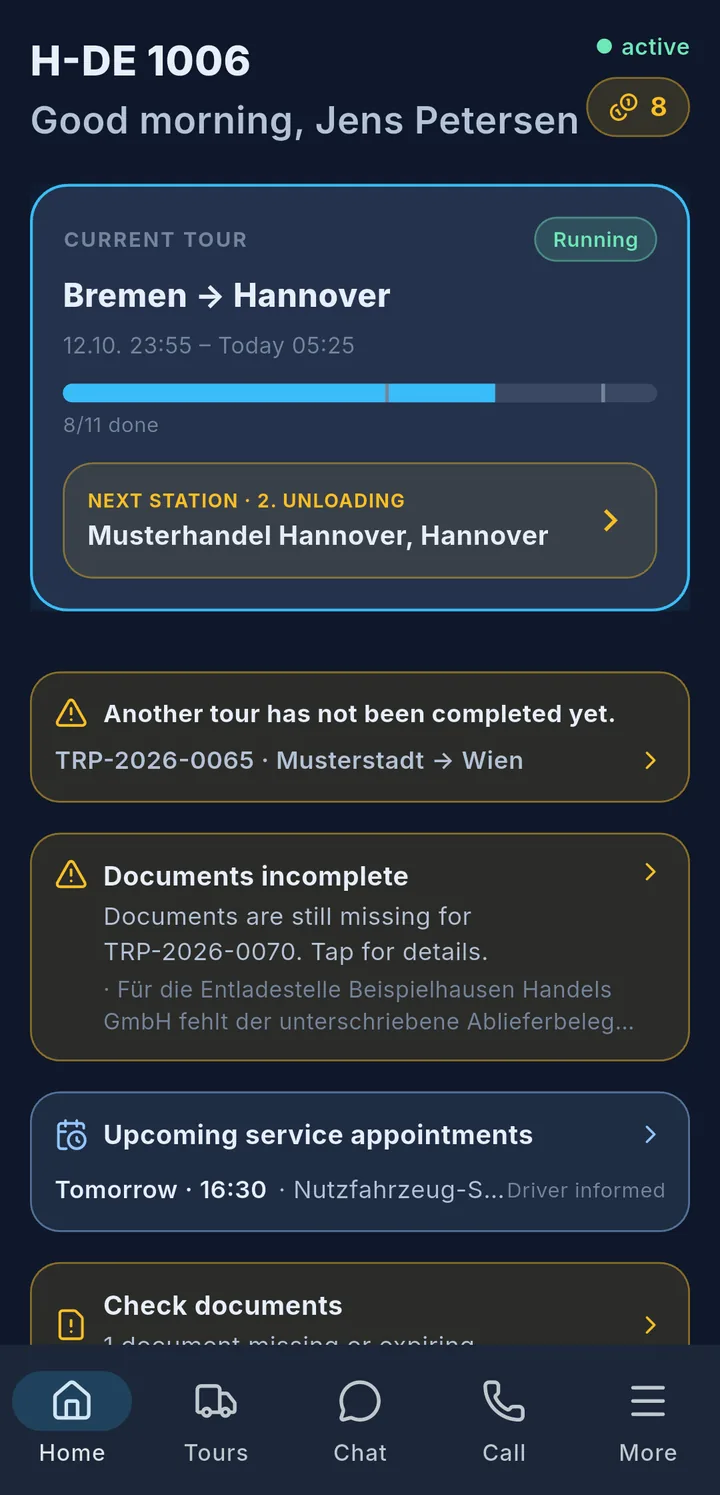
At the bottom of the app is the navigation bar with five tabs:
| Tab | What you find there |
|---|---|
| Home | current tour, notices, all menu items |
| Tours | current, upcoming and past tours |
| Chat | messages with dispatch |
| Call | request a callback or call the office |
| More | settings, language, sign out |
A small number on a tab means something new is waiting there.
At the top of the Home screen you see the licence plate and your name 1, next to it whether the app is connected 2. Below that is the Current tour 3 with progress and next stop – tap it to open it.
Notice cards 4 only appear when there is something to do: an open tour, missing documents, an important message, a service date, expiring documents, an open briefing or open to-dos. Tap the card to go straight to the right place.
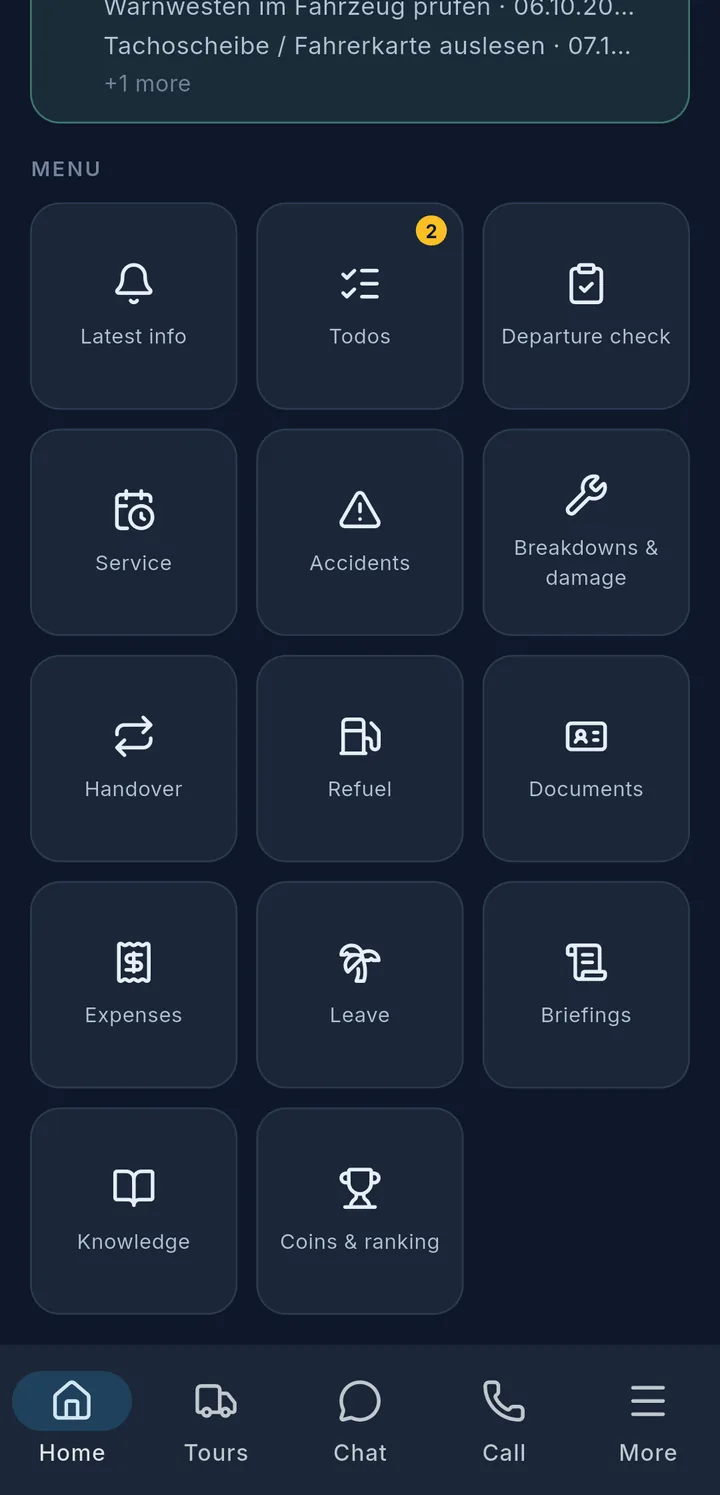
At the very bottom you find all menu items as tiles.
Tip
Your company decides which tiles you see. Anything that is not enabled for your vehicle is not shown at all.
