FR8 Driver AssistantHelp
EN
← All chapters
Chapter 4 · Tours

Pallets

12
34
5

So the office knows how many pallets are where, the app asks a quick question at the stops. Usually one tap is enough. Your company decides if and where the app asks – if you see no pallet section, there is nothing to do.

Note in the tour: What should happen with the pallets on your vehicle is shown at the top of the tour in the purple Pallets box.

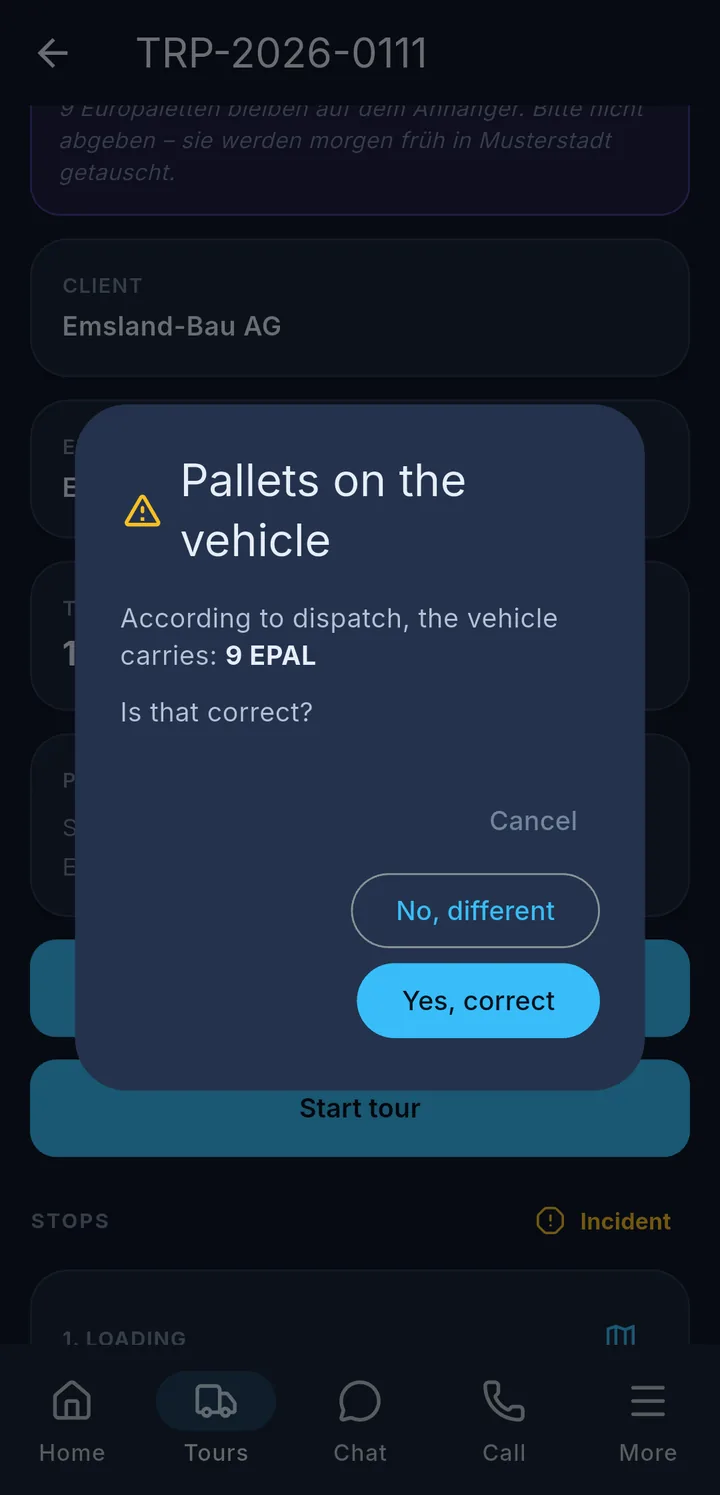
Before the tour starts: If there are already pallets on the vehicle, the app asks if the number is right. Tap Yes, correct 1 or No, different 2 and enter the real number.

At the stop: Open the stop. Under Pallets / loading equipment you see what is planned, e.g. "33 EPAL · Exchange".

  • Did everything go as planned? → As planned 3. Done.
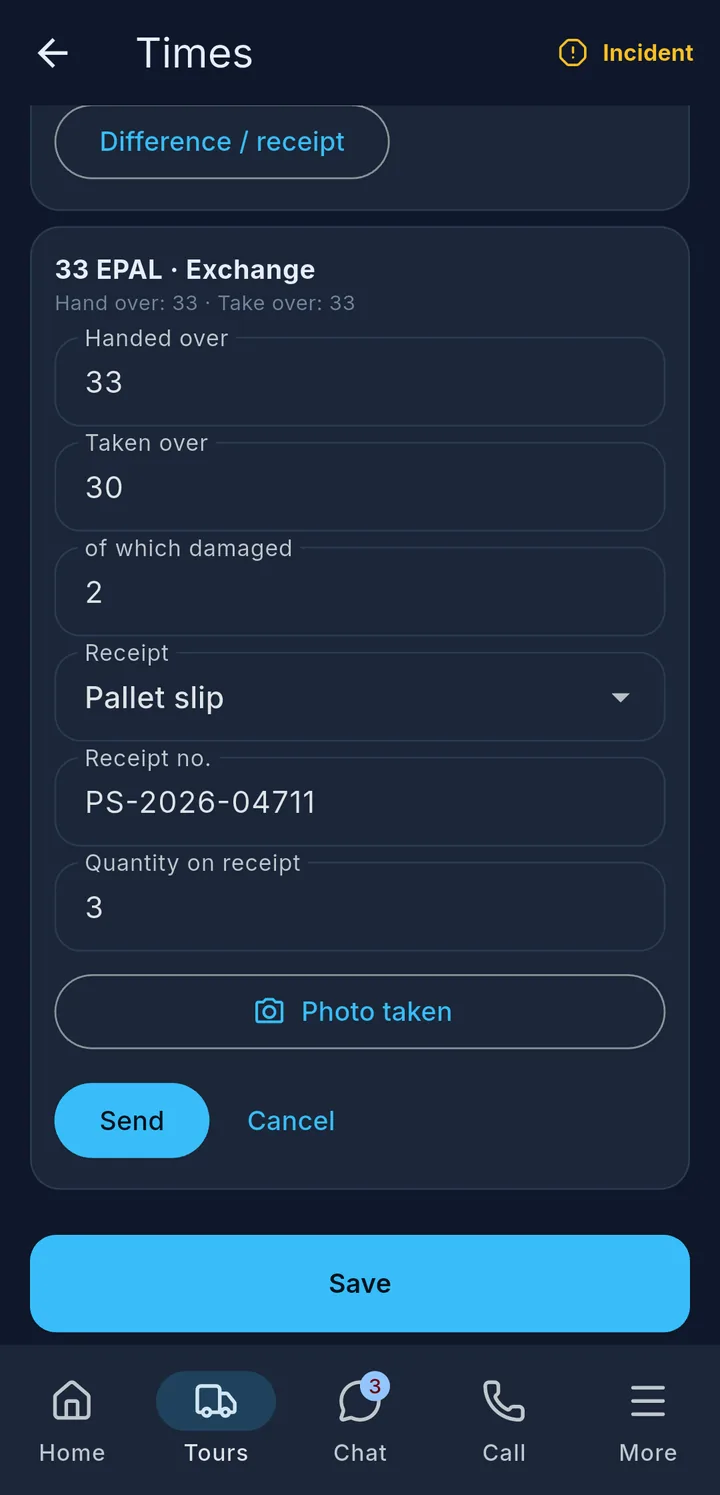
  • Was something different, or is there a receipt? → Difference / receipt 4: enter the number handed over and taken over, damaged pallets and the receipt 5, take a photo of the receipt, Send.

Made a mistake? Use Change to send again.

Important

As soon as you select a receipt, the photo is required. You still hand in the original receipt – especially DPL slips – at the office as usual.

More about pallets

The note in the tour

Purple Pallets box at the top of the tour

If dispatch has decided what should happen with the pallets on your vehicle, this is shown at the top of the tour in the purple Pallets box – e.g. "9 Euro pallets stay on the trailer. Please do not hand them over." The note is shown in your app language, the original text in small print below.

Stock before the tour starts

After No, different: enter the real number, then Send and start tour

If, according to FR8, there are already pallets on the vehicle – e.g. because you take over a trailer –, the app asks when you tap Start tour: Pallets on the vehicle. The number is shown with the short code, e.g. "9 EPAL". If there is no short code, the full name is shown.

  • Yes, correct – the tour starts.
  • No, different – enter the real number under How many are there really? and tap Send and start tour. Dispatch sees the difference and sorts it out.
  • Cancel – the tour does not start. You can start again later. While counting, Cancel takes you back to the question.

Without network the tour starts anyway. Your answer is sent as soon as there is network again.

Reporting at the stop

The Pallets / loading equipment section is on the Times page of the stop, below the container numbers. Each pallet movement has its own card, e.g. "33 EPAL · Exchange" and below it "Hand over: 33 · Take over: 33". The type is Hand over, Take over, Exchange or Return.

The pallet report has its own buttons. You do not need Save at the bottom of the page for it. You can only enter something once the tour has started.

Difference / receipt in detail:

  • Handed over / Taken over – how many pallets you really handed over or took with you. Only the fields that match the movement appear.
  • of which damaged – how many of the pallets taken over are broken.
  • Receipt – No receipt, Acknowledgement / note (e.g. on CMR), Pallet slip or DPL/pool slip.
  • Receipt no. and Quantity on receipt – if noted on the receipt.
  • Photo of the receipt – opens the camera. After that it shows Photo taken. If the photo is missing, "Please take a photo of the receipt." appears.

Use Send to send the report, Cancel closes the entry. The photo is also automatically added under Documents in the tour.

Reported

At the top still open, at the bottom Reported with your details and Change

After sending, the card shows Reported or Reported: as planned at the top right. If there was a difference, your details are shown below, e.g. "Handed over: 33 · Taken over: 30 · of which damaged: 2 · Photo taken". Made a typo? Change opens the entry again.

Tip

No network? Then it shows "Saved — will be sent as soon as there is network." Report and photo are sent automatically as soon as there is a connection again.

Frequently asked questions

I do not see the "Pallets / loading equipment" section. Then your company does not ask about pallets at this stop. There is nothing to do.

I cannot enter anything. Entries are only possible once the tour has started.

The message "Sending failed. Please try again." appears. Usually dispatch has changed or removed the pallet movement in the meantime. The app then reloads the tour. If the movement has disappeared, there is nothing more to do. If it is still there, just report again.

I got a DPL slip instead of pallets. Difference / receipt → Taken over 0, Receipt DPL/pool slip, enter receipt no. and quantity, take a photo, Send. This is not a mistake.